Base bet
This is the total cost of one ordinary spin.

Reel controls · Bonus Shop
Select a base bet and press Spin. Regular wins pay along 25 fixed lines; coloured chilli symbols can start one or more Hold & Win features.
← 4 Hot Chillies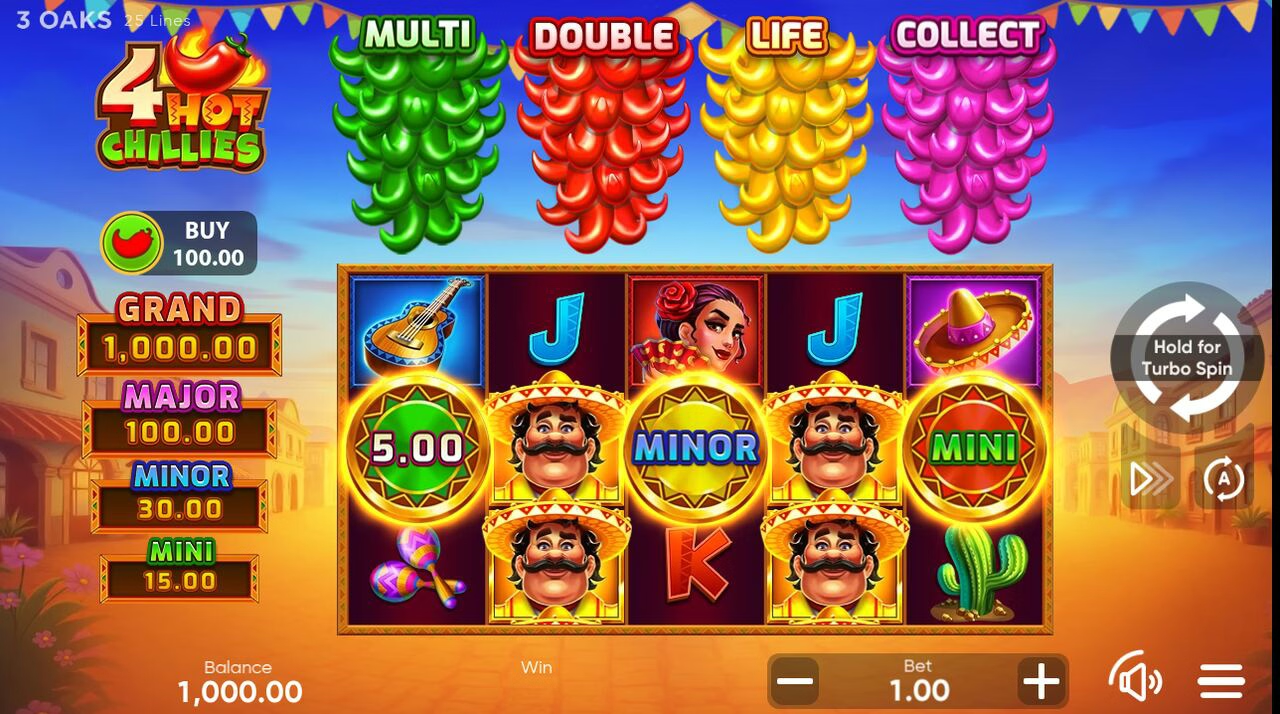
This is the total cost of one ordinary spin.
Matching symbols pay from the leftmost reel.
Green, red, yellow and purple can activate the four features.
The credit display shows the current practice balance. The win display records the round’s award, while the bet display is the amount charged for the next ordinary spin.
Autoplay starts from its own button. It continues until you press Stop, and it ends by itself when the balance cannot cover the current bet. During a feature the Autoplay button turns into a Stop button, so you can end the sequence at any point.
Regular symbols must connect from the leftmost reel on a line. Only the highest win on each line is paid, and wins on different lines are added. Say the bet is 1.00 and the reels show three guitars on one line and three cacti on another: 0.30 plus 0.20 is 0.50 for the spin. Wilds on reels 2 to 5 stand in for regular symbols but never for Bonus.
The WIN field shows an amount only when the last round was a winning one. If a round pays nothing, the field stays empty.
The green, red, yellow and purple Bonus symbols correspond to Multi, Double Reels, Life and Collect. They can trigger their matching features, including several at once. During Hold & Win, sticky Bonus symbols remain while empty positions respin. The feature rules explain the counters and interactions.
The rules list one way to start a bonus on demand: the Bonus Shop, which charges the full entry price for a guaranteed start.
The game menu opens the symbol payouts and Rules. Use the arrows to move through the help screens, then the close button to return to the reels. The 4 Hot Chillies paytable lists every symbol pay and the fixed jackpot multipliers.
The rules state that a malfunction voids all pays. An interrupted round is kept for 120 days and then deleted. Both come from the Common Rules screen in the game.